
Understand your table tennis match from video
Bring a recorded table tennis match into SportArc Match Review. Explore placements, shot statistics, and a written review alongside the video.
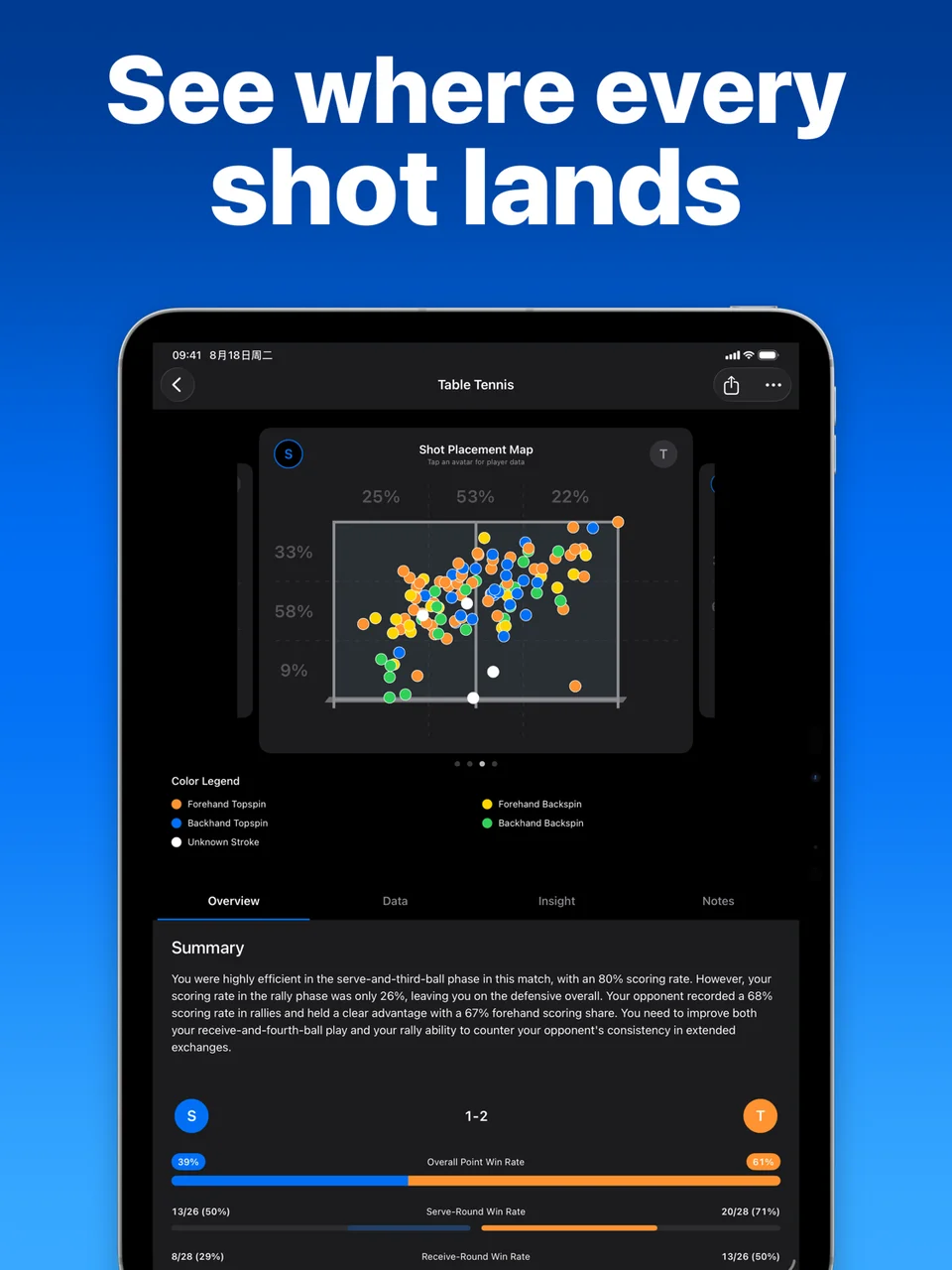
Look beyond the final score
- Shot placementExplore where shots land and check the placement patterns in your recorded match.
- Shot and phase statisticsReview forehand and backhand shots, serving and receiving, and the different phases of play.
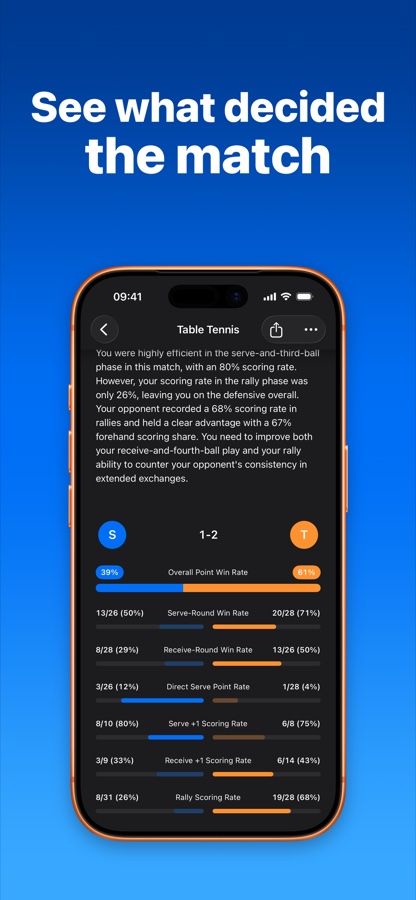
- Match reviewRead the data and written summary together to choose the moments you want to revisit.
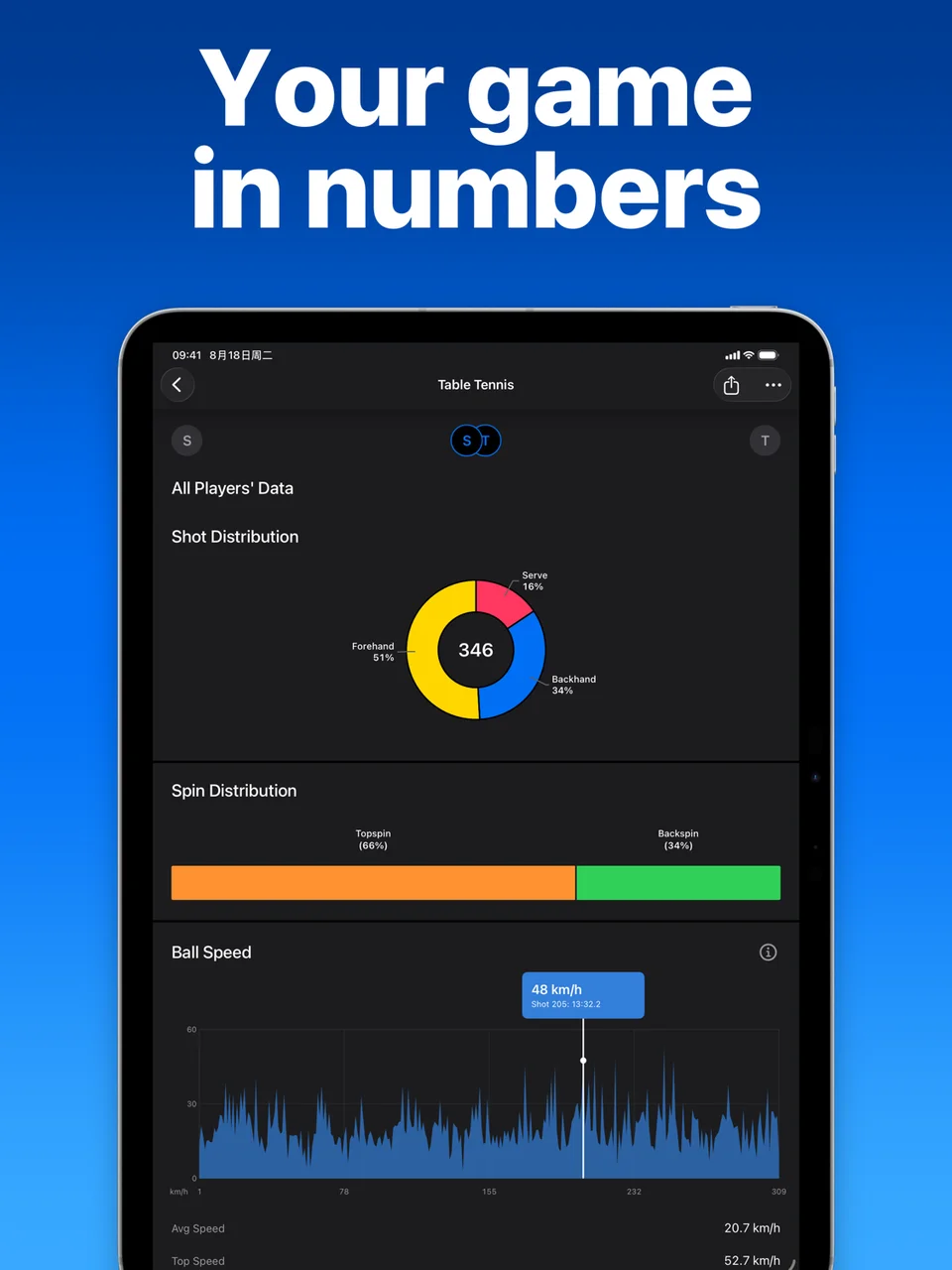
Put the numbers back into the match
A pattern can give you a question to take into practice. Review the footage alongside the written observations, and use both when discussing the match with a coach or training partner.
Start with a match recording that meets the requirements
-
Choose Match Review
Select Table tennis and Match Review, then import a suitable recording.
-
Follow the match prompts
Start processing and follow the app’s prompts for the change of ends and your starting position.
-
Explore the result
When processing completes, inspect the placement, data, and review sections.
Keep the camera fixed for Match Review
Keep the camera fixed and the ball, table, and players clearly visible. Footage that does not meet the recording requirements may produce poor results or fail to process.
See the Match Review recording guideIf your goal is to keep shorter clips from the recording, consider Auto Cut and follow its separate recording guide.
Questions before you start
Find the workflow that fits your recording.
What is the difference between match analysis and technique analysis?
Match Review examines a recorded match and its placements and statistics. AI Coach examines a selected table tennis action and its movement.
Does this work for tennis and badminton matches?
Match Review currently supports table tennis. Tennis and badminton can use Auto Cut for rally clips.
Can I use moving-camera footage?
Keep the camera fixed and follow the recording guide. Unsuitable footage may produce poor results or fail to process.
What should I do with the report?
Use the patterns to choose moments to review and questions to discuss in practice or with a coach. Check the footage rather than treating one number as the whole match.